Gardenscapes
- 4.8
- Rating
- 500.00M
- Installs
- Free
- Price

 Analysis by App-foxy
I spent time with Gardenscapes as a relaxed match-three game rather than treating it like a quick puzzle you finish in a few minutes. Its main appeal is the way each solved board feeds into a larger garden project. You are not only clearing colored pieces; you are using the results to restore and personalize a changing outdoor space. That extra layer gives ordinary casual play a sense of direction, although it also means the game is best enjoyed by people who like gradual progress.
Created by Playrix, this free casual game is available for Everyone and runs on Android devices starting with version 5.0 of the operating system. It has reached over 500 million installs and holds a 4.8 average from around 13 million ratings, which matches my impression that it is easy to pick up and broadly appealing. The current version is 9.4.2. I would recommend it first to someone who wants a colorful, low-pressure puzzle routine with a visible long-term goal, not to someone looking for a deep strategy game or a completely uninterrupted offline pastime.
How the game feels during ordinary play
I find the game easiest to appreciate when I treat a session as a small puzzle with a visible purpose, rather than expecting the garden to transform all at once. The match-three boards are the immediate activity, while their rewards give each completed level a place in the larger renovation. That balance is what makes ordinary play feel welcoming, and it also sets up the practical question of how to begin without overthinking it.
In-Depth Coverage of Gardenscapes
Quick starts, but progress is not always quick
The individual match-three boards are simple to understand. I can open the game, look at the objective, and begin making moves without learning a complicated control scheme. That makes it useful during a short break, while waiting for an appointment, or when I want something more engaging than scrolling. The first few moments of a session feel immediate because the central action is familiar and visually clear.
The larger rhythm is slower. Completing a puzzle contributes to garden restoration, and the garden gives the game its identity. A single board may feel like a small task, but a series of boards gradually changes the setting. I found that this made me more willing to return after a failed level, since the next attempt was connected to a broader project rather than being an isolated score chase.
That structure also creates an important expectation about speed. The game can feel fast in short bursts, but the overall renovation is deliberately incremental. If you want constant new scenery or rapid unlocking, the pace may seem restrained. If you enjoy watching a place improve one decision at a time, the slower progression is part of the satisfaction.
What happens when the boards become demanding
Early puzzles help establish the rules, but later challenges ask for more attention. I noticed that casual-looking boards can become surprisingly tactical when the layout limits possible matches or when the objective requires careful planning. The best approach is not to make the first available move automatically. I get better results by scanning the whole board, checking whether a move can create a larger combination, and considering which area is most important to clear.
A useful habit is to look for moves that open space before chasing a tempting match near the edge. Clearing a blocked section can reveal better possibilities and prevent the board from becoming cramped. I also try to avoid spending a useful combination simply because it is available; saving it for a turn when it can affect several targets is often more valuable. These small choices are what keep the puzzle layer from feeling like pure luck.
During heavier play, the demanding part is not only the board itself. A longer session involves repeated attempts, garden actions, and transitions between the puzzle and the renovation view. On a capable device, I found this flow comfortable, but the game is visually busier than a minimalist puzzle app. Players using older hardware should expect the experience to depend more on their phone or tablet than it would with a basic tile-matching game.
Stability and recovering from interruptions
Gardenscapes works best when I treat each level as a small, self-contained activity. If I am interrupted, the natural point to stop is after a board rather than in the middle of a sequence of moves. That habit reduces frustration and makes the game easier to fit around real life. It is especially useful for people who play in short sessions throughout the day.
Like any game that combines puzzles with a persistent garden, it has more state to manage than a simple standalone match-three title. I would avoid closing it abruptly while a transition is still taking place, particularly on a device that is already struggling with storage or memory. When the app needs to recover after an interruption, giving it a moment to return to the main screen is more sensible than repeatedly tapping or relaunching it.
You May Also Like

 AliExpress - Shopping App
AliExpress Makes Global Shopping Feel Personal, but Shoppers Bear the Risk
AliExpress turns a global marketplace into a pocket-sized discovery engine. Its reach is useful, its shopping loop compelling, and its trade-offs easy to miss.

 Lords Mobile: Kingdom Wars
Lords Mobile Is a Kingdom-Building Routine, Not a Quick Match
A case-by-case verdict on the building, battles, device demands, and social commitments that make Lords Mobile rewarding for some players and exhausting for others.

 PDF Scanner app - TapScanner
TapScanner Makes Paperwork Easier to Capture, Check, and Share
TapScanner makes scanning with a phone feel less like a rescue operation and more like a dependable step in getting work done. Its capture tools are useful, though not flawless.

 Block Blast!
Block Blast! Shows How Much a Puzzle Game Can Leave Out
A quiet grid game shows why puzzle players increasingly value instant clarity, repeatable skill and low-pressure play—and where the genre still needs to catch up.

 Family Space
Family Space Review: A Shared Routine That Makes Family Life Easier
A parenting app earns its place not by adding more noise, but by making everyday coordination easier. Family Space gets that balance mostly right.

 1Weather Forecasts & Radar
1Weather Forecasts & Radar Makes the Daily Check Worthwhile
A good forecast does more than predict rain. This week's pick turns changing conditions into a clear, practical reason to check before you step outside.
More From Our News Desk
View All News


I found the experience dependable for normal casual use, but I would not describe it as the lightest game in this category. Visual effects, animated scenes, and the changing garden make it feel richer than a plain puzzle grid. That richness is a strength for atmosphere, yet it is also the reason I would be more cautious about installing it on a very old phone or a device with little free space.
Device limits and everyday comfort
The minimum Android requirement is version 5.0, so the compatibility range is broad on paper. That does not mean every compatible device will feel equally smooth. Operating-system support only tells me that the game can run within that software environment; the processor, available memory, display, and general condition of the device still influence how comfortable longer sessions feel.
On a modern phone, the colorful presentation is part of the reward. On a weaker device, the same presentation may make transitions feel less immediate, especially after extended play or when several visual elements are active. I would keep other demanding apps closed if the game feels sluggish, and I would leave enough free storage for the device to operate comfortably. Those are practical steps, not guarantees, but they are more useful than assuming the minimum operating-system requirement promises identical performance everywhere.
Battery comfort is another personal consideration. A short puzzle session is unlikely to feel excessive, while repeated attempts and longer renovation sessions naturally ask more from the screen and processor than a static puzzle app. If I am traveling or away from a charger, I prefer using it in brief bursts. Someone who wants an extremely economical game for extended play may be happier with a simpler title built around a fixed board and fewer animated scenes.
Where the free model affects the experience
The game is free to download, but it includes purchases ranging from $0.49 to $99.99 per item. That matters because the design encourages continued progress through a sequence of puzzles and garden tasks. I can play without paying, but I need patience when progress becomes less generous or when a difficult level takes several attempts.
My advice is to decide on a personal rule before getting deeply invested. I would treat purchases as optional convenience rather than part of the basic admission price, and I would not buy something simply because I had already spent time on a level. The garden can make progress feel emotionally valuable, which is exactly why it helps to pause and ask whether a purchase improves the experience or only removes a temporary obstacle.
This is one area where Gardenscapes differs from a small paid puzzle game. A paid alternative may offer a cleaner, more predictable session with fewer reasons to think about spending. The trade-off is that it may not provide the same ongoing garden restoration or long-term sense of place. Players who enjoy a persistent project may accept the free model; players who want a single upfront experience should look elsewhere.
Why the garden layer changes the comparison
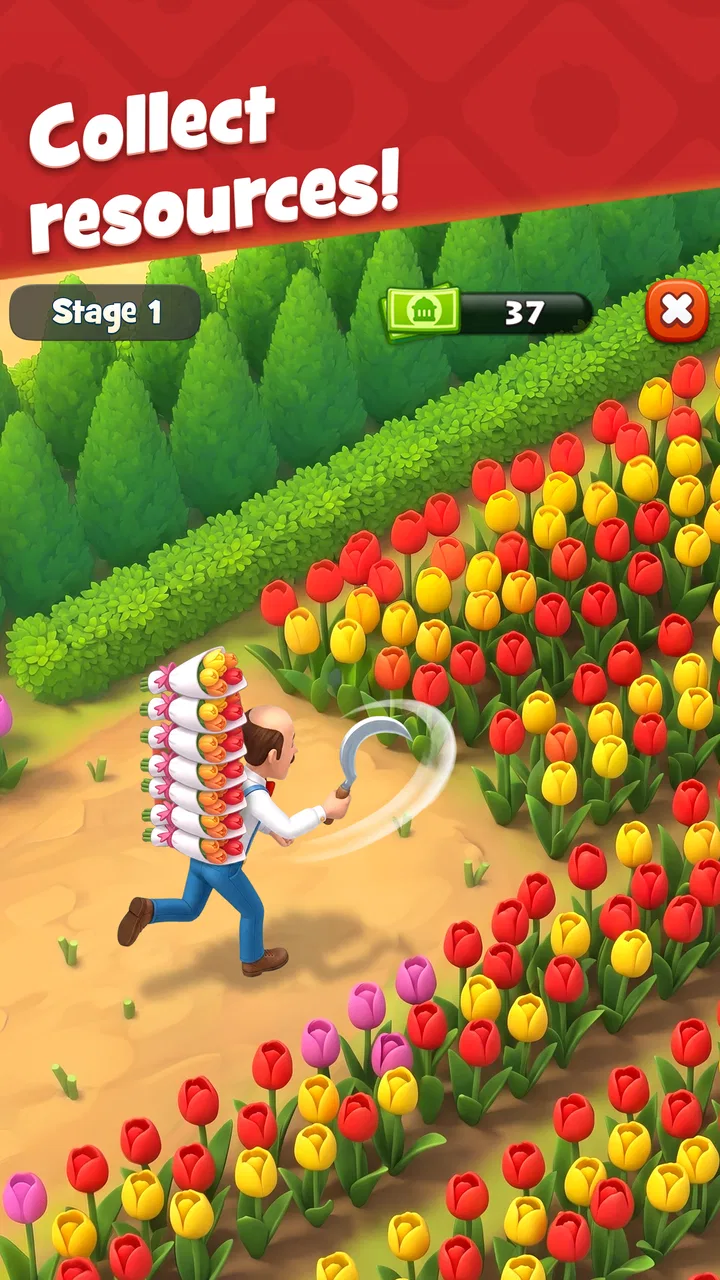
Compared with a conventional match-three game focused mainly on scores, this one gives each successful board a visible purpose. I found that especially helpful when my attention was low. Instead of asking myself whether I wanted to beat a personal record, I could focus on completing one small step toward improving the garden. That makes the game approachable for people who like light goals and decoration without needing a separate building simulator.
It is not the best choice for someone seeking a pure puzzle test. The story-like renovation structure and visual presentation occupy a meaningful part of the experience, so players who only care about efficient board solving may find the surrounding elements distracting. Likewise, people who dislike gradual progression may prefer a puzzle collection with freely selectable stages and no long-term restoration thread.
For families, the Everyone rating makes the game broadly accessible, but I would still explain the purchase model before handing it to a child. The colorful style can make optional items feel appealing, and the broad age rating does not remove the need for sensible spending boundaries. For adults, the same presentation works well as a calming routine, provided the player is comfortable with the game’s pace and monetization.
Small habits that improve the experience
I get more from the game when I separate “playing for progress” from “playing to experiment.” On a difficult board, I first identify the required objective and protect moves that help with it. On an easier board, I can test combinations and enjoy the visual payoff without worrying about perfect efficiency. This simple distinction prevents me from wasting concentration on every level.
Another useful habit is to stop after a frustrating attempt instead of immediately repeating the same pattern. A short break often makes the board easier to read because I return looking for a different opening. I also avoid making moves at the bottom or edge automatically; those positions can change the board in ways that are harder to predict. Looking for a move that creates room is usually a better first question than looking for the most obvious color match.
When I know I have only a minute or two, I choose a moment when I can finish a board cleanly. When I have more time, I am more willing to attempt a demanding level and think through several possible openings. This makes the app fit both quick breaks and longer relaxation, but it also highlights its limit: the most satisfying sessions are not always the shortest ones.
Who should install it
I would point Gardenscapes toward players who enjoy match-three mechanics, decorative restoration, and a steady stream of small objectives. It is a good fit for someone who wants a familiar puzzle format with more context than a bare grid. The garden gives returning players a reason to care about the next level, while the casual controls keep the entry barrier low.
I would be more cautious recommending it to people with limited storage, older hardware, or a strong dislike of in-app purchase prompts. I would also steer away players who want competitive depth, a completely minimalist interface, or a game that feels identical from the first board to the last. The app’s appeal depends on its combination of puzzle play and ongoing renovation, so removing either half changes what makes it worthwhile.
For a realistic everyday scenario, imagine finishing work and wanting ten minutes of distraction without committing to a full story game. A couple of boards can provide that reset, and the garden gives the session a clear endpoint. On a weekend, the same player might spend longer working through a stubborn level and then using the reward to improve the surroundings. That flexibility is one of its strongest practical qualities.
My performance verdict
After using it as both a short-break game and a longer casual activity, I see Gardenscapes as a polished, visually active option rather than a featherweight puzzle utility. It should feel responsive on reasonably modern hardware, while devices close to the Android requirement may offer a less comfortable experience during extended sessions. Keeping the phone updated, leaving storage available, and avoiding a crowded background workload are sensible ways to reduce friction.
The current 9.4.2 version gives Android users a clear point of reference, and the large install base shows how widely the formula has traveled. Still, popularity does not make it universally suitable. The game asks for patience with gradual renovation, attention on harder boards, and self-control around optional purchases. Those are not flaws for every player, but they are central to deciding whether it belongs on your device.
My final recommendation is positive for anyone who wants a friendly casual game with a persistent garden to improve. I like that a short puzzle can contribute to a larger visual project, and I appreciate the way the difficulty eventually rewards planning rather than mindless tapping. I would skip it in favor of a simpler or paid puzzle if I needed the lowest possible resource demand, a fixed one-time cost, or pure board-solving without renovation. For everyone else, it is a welcoming game whose best quality is the steady feeling that each completed level leaves the garden a little better than before.
FAQs for Gardenscapes
01What is the main objective of Gardenscapes?
Gardenscapes is a match-3 puzzle game where the main objective is to restore and beautify an old garden to its former glory. Players complete match-3 levels to earn stars and coins, which are then used to renovate and decorate different areas of the garden, unveiling new sections and storylines as they progress.
02Is Gardenscapes free to play?
Yes, Gardenscapes is free to download and play. However, it offers in-app purchases for various items and boosters that can enhance gameplay. While you can enjoy the game without spending money, purchasing items can help you complete levels more easily and customize your garden with unique decorations.
03Are there any social features in Gardenscapes?
Gardenscapes includes several social features. Players can connect the game to their Facebook account to compete with friends on leaderboards, send and receive lives, and share achievements. There are also team events where players can join teams or create their own to participate in special challenges and win rewards.
04How often does Gardenscapes receive updates?
Gardenscapes is regularly updated with new content, including new levels, events, and story chapters. These updates ensure fresh gameplay experiences and often introduce seasonal themes or limited-time events. Players should check the app store frequently for updates to enjoy the latest features and improvements.
05What kind of challenges can players expect in Gardenscapes?
Players can expect a variety of challenges in Gardenscapes, ranging from classic match-3 puzzles to special tasks like collecting specific items or clearing obstacles. As the game progresses, levels become more complex, with additional elements like water, crates, and flowers adding to the strategic challenge. Regular events also introduce unique gameplay twists.
Pros
- Engaging storyline keeps users hooked.
- Stunning graphics enhance gameplay experience.
- Regular updates with new levels add variety.
- Interactive characters make the game lively.
- Offline play is available for convenience.
Cons
- In-app purchases can be costly.
- Some levels are frustratingly difficult.
- Requires significant storage space.
- Ads appear frequently during gameplay.
- Battery consumption is relatively high.

Gardenscapes
Gallery